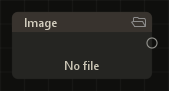
Input. One file on the node (drag-and-drop or a path). Formats: FITS/FTS, TIFF, PNG, JPEG, SER. Astrometry from FITS is carried onto the frame.
Output.image — one frame, linear or sRGB (by file: FITS/TIFF linear; PNG/JPEG sRGB).
On the card. File name and size; a load status when needed.
Sequence
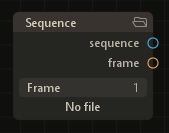
Input. A directory of files; nested folders are included.
Outputs.sequence — the whole series (for DSO Stacker inputs); frame — one frame of the series (linear), index from a slider.
On the card. Frame count, frame-index slider, current file name.
DSO Stacker
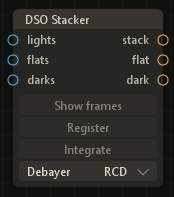
Inputs.lights (Sequence); optional flats and darks.
Outputs.stack — the integrated stack (linear); flat and dark — calibration masters when those series are connected.
Register. Star detection, frame matching, quality scores. Registration is cached in the project; a change of inputs needs Register again.
Integrate. Kappa-sigma clipping, photometric normalization, stack assembly. A finished Register is required.
Debayer. RCD debayers; Drizzle 1× / 2× is CFA drizzle (RAW/CFA). Drop size 0.5–1.0 applies only to drizzle.
WCS. Stack astrometry is inherited from the Register reference frame.
Show frames. After Register, browses the lights of the connected series: the preview is the frame at the current frame-strip index. Pressing again, or Close on the strip, leaves the mode. Needs a lights input from Sequence.
Frame strip. A panel under the preview: one slot per frame. Colors after Register: blue — reference; green — registered and included in Integrate; yellow — rejected (quality or a failed match); red — load error. A click or a drag on the row and the plot changes the frame index; the wheel steps through frames.
Metrics and thresholds. Above the row, a plot of metrics for the whole series (Stars, Roundness, FWHM, Background). The horizontal line is the quality threshold for the selected metric; dragging it changes the same thresholds as in the DSO Stacker settings. Frames below the threshold are left out of Integrate. The status line shows the frame index and metric values; fields that break a threshold are highlighted. Changing thresholds after Integrate makes the stack stale — Integrate has to be run again.
HDR Compose
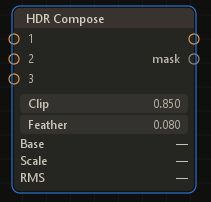
Inputs.1…3 — linear frames of the same sky area (one to three connections).
Outputs.image — the composed HDR; mask — a mask of each frame’s contribution.
Logic. The base is the brightest frame; the others are aligned on stars, scaled, and blended with clip and feather.
Settings. Clip — saturation threshold; Feather — blend width. The card shows the base index, donor scales, and fit RMS.
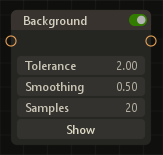
Background
Input.image — a linear image.
Output.image — a linear image.
Method. Background samples, an RBF model of the sky, subtraction of that model from the frame.
Settings. Tolerance — sample threshold; Smoothing — model smoothing; Samples — point count (8–40). Show — sample points on the preview.
Color Calibration
Input.image — a linear image.
Output.image — a linear image.
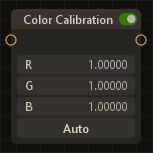
Auto. Photometric color calibration (PCC): stars on the frame are matched to catalog stars, and that match sets the R/G/B gains and the background mean. Matching needs a sky solution (WCS).
WCS and catalogs. If WCS is already stored in the frame astrometry (often after DSO Stacker Register), the online Gaia DR3 catalog is queried for the field. If there is no WCS but the metadata has RA, Dec, and pixel scale, a plate solve runs first: ASTAP and a local star database (path and install are in Settings; they are not shipped). With neither WCS nor approximate coordinates, Auto fails.
Manual. R/G/B gain (0.25–4) and background mean after Auto.
Transform
Input.image — linear or sRGB.
Output.image — the same kind as the input.
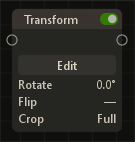
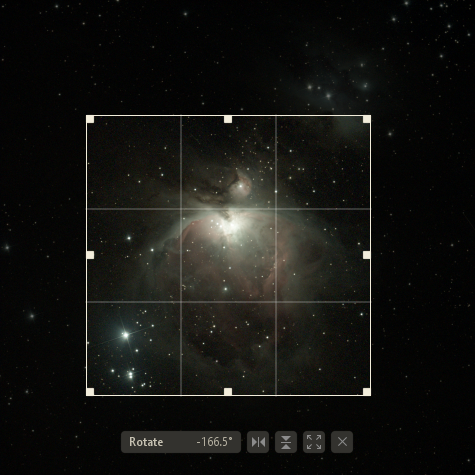
Geometry. Rotation, flip H/V, crop. The card has an Edit button and Rotate / Flip / Crop rows with the current values. Edit opens the adjustment on the preview: a crop frame, a Rotate slider, flip buttons.
Astrometry. Output WCS is recomputed with the geometry.
Blend
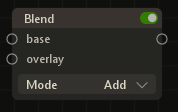
Inputs.base and overlay — frames of the same size (width and height match).
Output.image — a per-pixel merge of the two frames; astrometry and other metadata come from base.
Logic. At each pixel, RGB of base and overlay are combined by the selected mode (no mask, no opacity). If only one input is connected, that frame is the output.
Mode. Add — sum; Screen — screen; Multiply — product; Lighten / Darken — max / min per channel; Difference — absolute difference.
Stretch
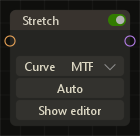
Input.image — a linear image.
Output.image — sRGB (after stretch).
Logic. Tone stretch of a linear frame: a dark stack or a calibrated FITS is mapped to a visible sRGB tone for the preview and for later nodes (Curves, Adjustments, Sharpen).
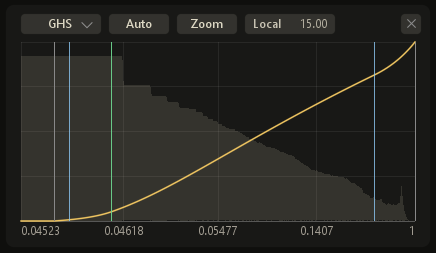
Curve. Mode on the card: MTF (black / midtone / white), Asinh (stretch strength and levels), GHS (generalised hyperbolic stretch).
Auto. Fits the parameters of the selected Curve from the input background and histogram.
Editor. Show editor — the curve plot and the frame histogram; control points are dragged. GHS also has Local and Low / Symmetry / High markers on the plot.
Adjustments
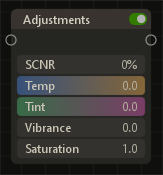
Input.image — sRGB.
Output.image — sRGB.
Logic. Color correction: white balance, saturation, green suppression.
Parameters. SCNR — green reduced against R/B; Temp and Tint — balance shift; Vibrance — saturation weighted toward less saturated areas; Saturation — overall saturation.
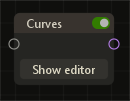
Curves
Input.image — sRGB.
Output.image — sRGB.
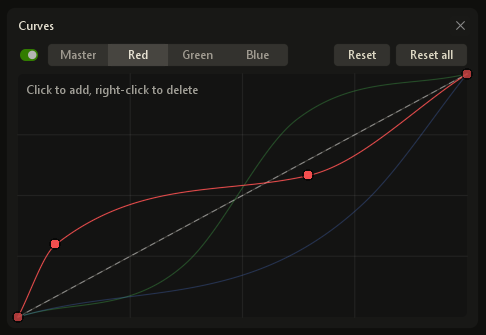
Logic. Extra tone and per-channel correction after Stretch: control points build a LUT, then applied per pixel. The Master curve affects every channel; Red / Green / Blue are separate. Each channel can be turned on or off.
Editor. Show editor — a panel with the histogram and the plot; curve points are dragged. Reset / Reset all clears the active channel or all of them.
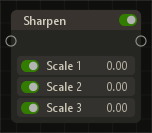
Sharpen
Input.image — sRGB.
Output.image — sRGB.
Logic. Multi-scale detail boost in the manner of an unsharp mask: at each level a smoothed copy is subtracted from the current signal, and the difference is added to the result at the given strength. Smoothing is à-trous (no downsampling): pixels are not decimated; blur is the step between kernel samples.
Scale 1–3. Three levels in sequence; each has a toggle and a strength of 0–3. Scale 1 is a compact 3×3 kernel on the source frame. Scale 2 and 3 are 5×5 à-trous kernels with a step of 1 and 2 pixels (larger structures). The next level is built from the previous low-pass, so the bands do not repeat one radius. All off, or zero strength, leaves the frame unchanged.
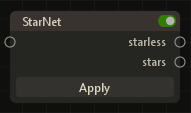
StarNet
Input.image — linear or sRGB.
Outputs.starless — without stars; stars — the star layer.
Dependency. The StarNet++ model from Settings; it is not in the application archive. The run is in the background, with progress on the card.
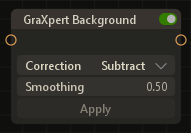
GraXpert Background
Input.image — a linear image.
Output.image — a linear image.
Logic. Estimates and removes an uneven background with the GraXpert network (ONNX): the frame is split into tiles, the model builds a background map, then the background is subtracted from or divided into the source.
Run. Run on the card; the GraXpert model and package come from Settings and are not in the archive. The result is cached in the project when Run is repeated on the same input.
Correction. Subtract — subtract the background; Divide — divide by the background model. Smoothing — smooth the background map before it is applied.
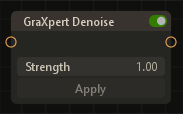
GraXpert Denoise
Input.image — a linear image.
Output.image — a linear image.
Logic. Noise reduction on a linear frame with the GraXpert Denoise model (ONNX): tiled processing, normalization from channel statistics, blend with the source by Strength. Before Stretch.
Run. Run on the card; the model comes from Settings. Strength 0 — no effect; 1 — full model strength.
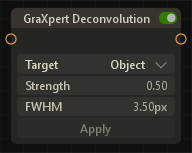
GraXpert Deconvolution
Input.image — a linear image.
Output.image — a linear image.
Logic. Deconvolution / detail recovery on a linear frame (GraXpert ONNX): two models, one for objects and one for stars. FWHM is the assumed PSF width in pixels and is passed to the network together with Strength.
Run. Run on the card; the models come from Settings. Target — Object or Stars; Strength — effect intensity.
 Rasid